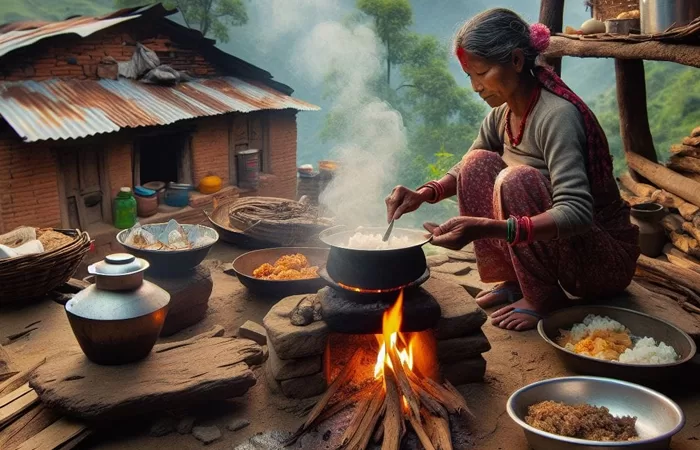
AI Image Generator is a tool that uses artificial intelligence to create images based on text prompts or other inputs. You can use AI Image Generator to generate images for various purposes, such as expressing creativity, exploring new styles, generating ideas, or having fun. AI Image Generator can create images that are unique and engaging, using the latest in AI technology and deep learning algorithms.
There are many online tools and apps that allow you to use AI Image Generator easily and quickly. For example, you can use Image Creator from Microsoft Designer, which is a free tool that lets you generate images with AI. You can also use Pixlr, Picsart, Fotor, or VEED.IO, which are some of the popular tools that offer AI Image Generator features. You can find more information and examples of each tool by searching the web.
To use AI Image Generator, you need to write a text prompt that describes what you want to see in your image. You can be as specific or as vague as you want, depending on the level of control and surprise you want. For example, you can write something like “a cat curled up in a patch of sunlight” or “a surreal landscape in the style of Salvador Dali”. You can also use quotation marks, brackets, or keywords to refine your prompt and guide the AI model. For example, you can write something like “a portrait of [Mona Lisa] in the style of [Picasso]” or “a [photograph] of a [city] at [night]”.
After you write your prompt, you can generate your image by clicking a button or pressing enter. The AI model will use your prompt and its own data and algorithms to create an image that matches your description. Depending on the tool and the prompt, the generation process may take a few seconds or minutes. You can also generate multiple images with the same prompt and compare the results.
Once you have your image, you can customize and fine-tune it by using the editing features of the tool or app. You can change the style, size, color, or composition of your image, or add or remove elements using tools like Generative Fill or AI Painter. You can also use other apps or software to further edit your image, such as Photoshop or Illustrator.
Finally, you can download and share your image with others. You can save it to your device or cloud storage, or share it on social media or other platforms. You can also use your image for personal or commercial projects, depending on the usage rights and licensing options of the tool and the image. You can find more information about this by reading the terms and conditions of each tool or app.
